
Barz Casino App UK: iPhone, iPad and Mobile Browser Guide
 Available in GB
The practical choice is simple. iPhone and iPad users can verify the current App Store listing before installing. Any mobile user can use the official Barz website in a browser. Android users should avoid third-party APK mirrors and rely on the official Google Play experience on their own device if they want to check native availability.
The full picture is in the Barz Casino review for UK players.
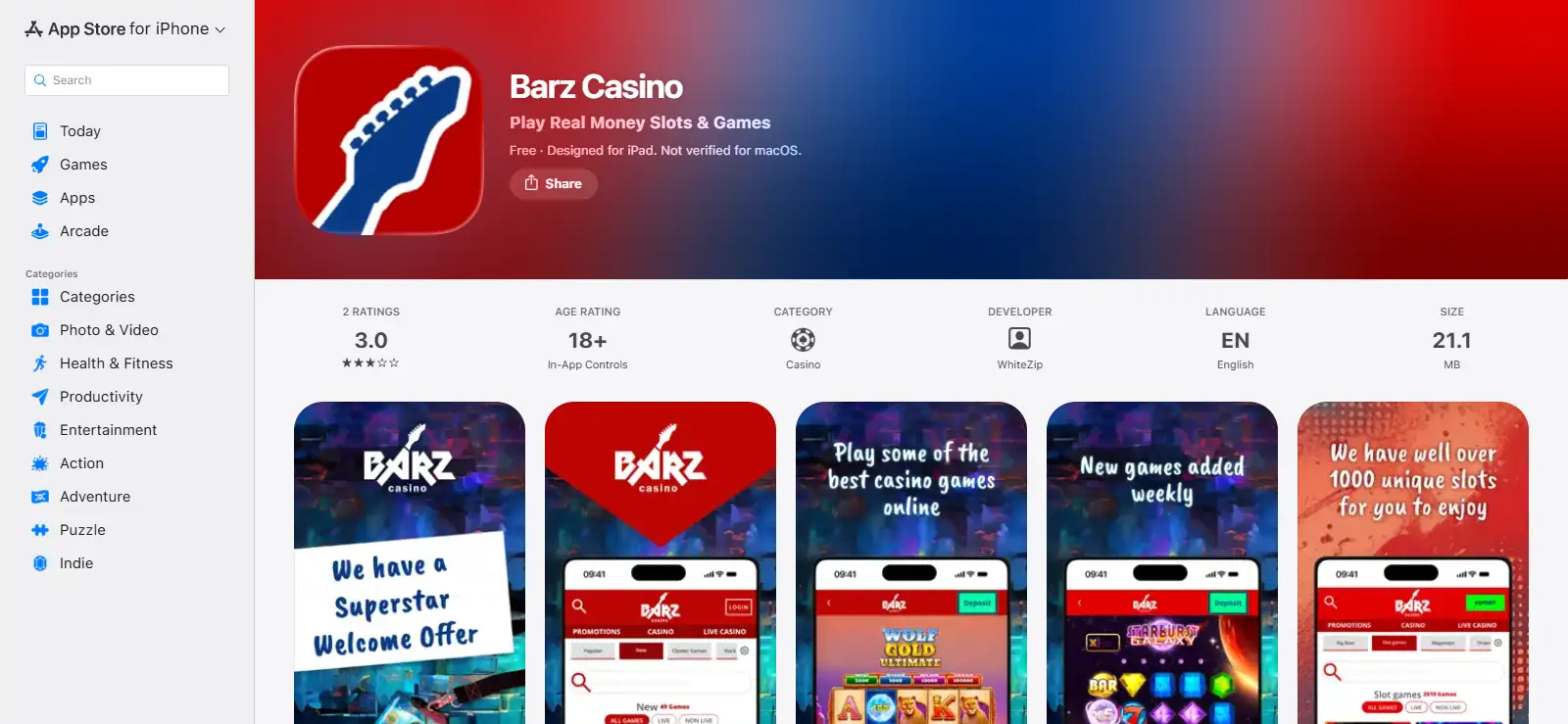
Barz app status at a glance
| Mobile route | Availability | Practical UK guidance |
|---|---|---|
| iPhone | Verified GB Apple App Store listing | Use the App Store listing and check its current compatibility before installing. |
| iPad | Verified GB Apple App Store listing | Use the same official listing and confirm the device meets the current system requirement. |
| Android native app | Check Google Play on the UK device and account | Check Google Play on your own UK device and account. Do not sideload an APK from a mirror. |
| Mobile browser | Verified mobile route | Open barz.com directly in a modern browser rather than searching for download files. |
A store listing can be available to some accounts or regions without appearing for every user. Apple has a Great Britain listing for Barz on iPhone and iPad. Android users should check Google Play on the UK device and account they normally use and fall back to the official browser route if the app is not offered.
How to verify the Barz iPhone and iPad app
The safest installation path is to start in Apple’s GB App Store rather than following an advert, social post or third-party download page. Search for Barz Casino, open the listing, and confirm that the store page is the casino app you intended to find before selecting the install control. A genuine store page should provide the normal platform information, age rating, privacy disclosures and links supplied through Apple’s storefront.
Do not treat the privacy panel as an independent Apple audit of the operator’s privacy practices. App Store privacy information is based on information supplied for the listing. It is still useful for comparing what the developer says the app may collect, but it should not be described as Apple independently verifying those claims.
If the App Store says the app is unavailable, incompatible or restricted on your device, use mobile browser access instead of installing a copied package from another website. That keeps access tied to the official Barz domain and avoids an unknown installation file.
What you can do in the Barz mobile experience
Barz mobile access includes the main casino experience rather than a separate stripped-down product. Slots and live-casino categories are available through mobile access, and the Apple listing describes both online and live casino content. The main choice is therefore between a native store app and browser access.
For detailed game selection, use the separate Barz games guide. On mobile, focus on whether the content is easy to reach, game information is readable and account controls are convenient to manage without a desktop computer.
Barz also has verified responsible-gambling controls including deposit limits and self-exclusion. Mobile access should make those controls easier to reach, not something to ignore because the screen is smaller. Before playing, find the account or responsible-gambling area and make sure you know how to reach the controls you would use if you want to reduce access or spending.
Native app or mobile browser?
A native app can be convenient because it has a dedicated home-screen icon and uses the device’s normal store update process. Browser play requires no installation and can be reached directly through the official domain. Actual speed and smoothness can vary by device, browser, operating system and connection.
Use the native iOS route if you prefer a store-managed app and your iPhone or iPad supports the current listing. Use the browser if you prefer not to install casino software, if storage space matters, or if your device does not offer the native app you expected. Android users in particular should treat the browser as the stable fallback rather than looking for an APK elsewhere.
The account itself is the important continuity point. If you already have a Barz account, use your normal credentials through the official access route. If you are registering for the first time or have a login problem, the Barz account and login guide covers registration, password recovery, verification and support boundaries.
Android access at Barz
Barz has a Google Play product page, but install availability can still vary by account, device, region and store controls. Great Britain users should check Google Play on the device and account they normally use rather than assuming the app will be installable everywhere.
If Google Play offers Barz for installation on your UK device and account, use that official store route. If it does not, the official Barz website in a mobile browser remains the practical alternative.
There is no reason to solve store uncertainty by downloading a package from an APK mirror. A mirror introduces an additional publisher and file-integrity risk, so use Google Play when it offers Barz or use the official Barz website in a browser.
Mobile login and verification problems
If the casino opens but your account does not, separate access problems from game or device problems. First confirm that you are on the official Barz route and that the email address and password you are using belong to the account you created. If you have forgotten the password, use Barz’s official reset process rather than a link sent by an unknown third party.
Verification can also affect account access. Barz verifies player identity, age and registration details, and Great Britain rules require age and identity checks before online gambling is permitted. A request for verification is therefore an account process rather than evidence that the mobile app itself is broken.
A login or activation problem can be connected to account verification, while game-loading or layout problems belong to device or browser troubleshooting. For document requirements, use the dedicated verification page.
Basic mobile troubleshooting without risky workarounds
- Confirm that you are using the official Barz domain or a recognised first-party app-store page.
- For a browser issue, close the affected tab and reopen the site in a current browser before changing account settings.
- For an iOS installation issue, read the compatibility message in the App Store rather than downloading a copy elsewhere.
- For Android, check Google Play on the device and account you actually use in Great Britain.
- If the problem is login or activation, move to the account-help route rather than repeatedly reinstalling software.
- If the issue is verification, follow the account verification process and avoid sending documents through an unverified contact channel.
Different symptoms can have different causes. Clearing data, changing networks or reinstalling may help some technical problems, but an account restriction needs the relevant account or verification process instead.
Mobile safety and responsible-gambling controls
Casino access on a phone is convenient precisely because the device is usually close at hand. That makes account controls especially relevant. Barz provides deposit-limit and self-exclusion tools, while Great Britain operators must also meet age-verification requirements before customers can deposit or gamble.
Use a personal device with a screen lock, do not leave a logged-in casino account open on a shared phone or tablet, and keep account recovery information private. If you use both browser and native app routes, remember that responsible-gambling settings apply to the account rather than becoming optional because you changed the interface.
For licensing and operator details, see the Barz licence and safety guide. Mobile access itself is available through the iOS app, mobile browser and, where Google Play offers it to the account, Android.
Frequently asked questions
Does Barz have an iPhone app in the UK?
Yes. Barz Casino has a current listing in the Great Britain Apple App Store for iPhone.
Does Barz work on iPad?
Yes. The same GB Apple App Store listing covers iPad as well as iPhone.
Is there a verified Barz Android app for Great Britain?
Barz has a Google Play product page, but availability can vary by Great Britain store account, device and region. Check Google Play on your own UK device and account; if the app is not offered, use the official Barz website in a browser.
Can I play Barz without installing an app?
Yes. Mobile browser play is a verified route, so you can use the official Barz website from a compatible phone or tablet browser.
Should I download a Barz APK from another website?
No. Use an official app store where Barz is available or use the official Barz website in your browser. Avoid third-party APK mirrors.
Bottom line
For Great Britain, Barz has a clear iPhone and iPad route through Apple’s GB App Store, plus mobile browser access that does not require installation. Android availability can vary by store account, device and region, so check Google Play on the device you actually use. If Barz is not offered there, the official browser route remains available. Return to the full Barz casino review for the wider assessment.
An account is needed first: registration and login.
Barz Casino Games UK: Game Library, Providers and Categories
Content created by the «casinobarzuk.com» team